
Beat the Buffer: Hassle-Free Streaming Tips You Need to Know!

Overview
To avoid buffering while streaming live cricket events like the T20 World Cup 2026 on platforms such as Willow TV, check your internet speed, upgrade your plan if necessary, optimize your Wi-Fi signal, limit bandwidth usage from other applications, adjust streaming quality, clear device cache, disable background apps, regularly restart devices, consider wired connections, turn off VPNs, and explore different streaming platforms if issues persist. Enjoy uninterrupted viewing!
Contents
There’s nothing more frustrating than settling in for an exciting match, like the upcoming T20 World Cup 2026, only to be interrupted by buffering issues. Streaming platforms like Willow TV on KaroStream offer fantastic options for catching live cricket events such as the IPL 2026, but buffering can disrupt your viewing experience. In this comprehensive guide, we will explore effective strategies to minimize and even eliminate buffering, making your streaming experience enjoyable. Let’s dive in!
Understanding Buffering: What Causes It?
Before we can fix buffering issues, it's essential to understand what causes them. Buffering typically occurs when your internet connection cannot keep up with the demand of the video data being streamed. Here are some common factors that contribute to buffering:
Poor Internet Connection: Slow internet speeds often lead to buffering. This is frequently the most common issue.
High Traffic: Streaming during peak hours can slow your connection if many users are online.
Hardware Limitations: Older devices might struggle to handle high-definition streaming.
Network Congestion: Using multiple devices on the same network can also cause buffering.
Streaming Quality Settings: High-quality streaming requires more bandwidth; lower settings could reduce buffering.
Check Your Internet Speed
The first step in troubleshooting buffering issues is to check your internet speed. You can use various online tools to determine if your connection meets the requirements for streaming live cricket and events like the T20 World Cup 2026.
Here’s a general guideline for internet speed:
Standard Definition (SD): 3-4 Mbps
High Definition (HD): 5-8 Mbps
4K Ultra HD: 25 Mbps or higher
If your speed falls below these benchmarks, it may be time to contact your internet service provider or upgrade your plan.
Upgrade Your Internet Plan
If you're frequently experiencing buffering issues while trying to catch dynamic matches like the IPL 2026, consider upgrading your internet plan. Most streaming services recommend a minimum connection speed, and if yours doesn’t meet the mark, you may need to invest in a faster plan.
Discuss options with your provider. Higher bandwidth can provide a smoother streaming experience and allow multiple devices to run without interruptions.
Optimize Your Wi-Fi Signal
Many users rely on Wi-Fi connections, which can sometimes lead to issues such as weak signal strength. Here are some steps to optimize your Wi-Fi signal:
Router Placement: Position your router in a central location to maximize coverage.
Minimize Interference: Keep your router away from walls, metal objects, and devices like microwaves that may cause interference.
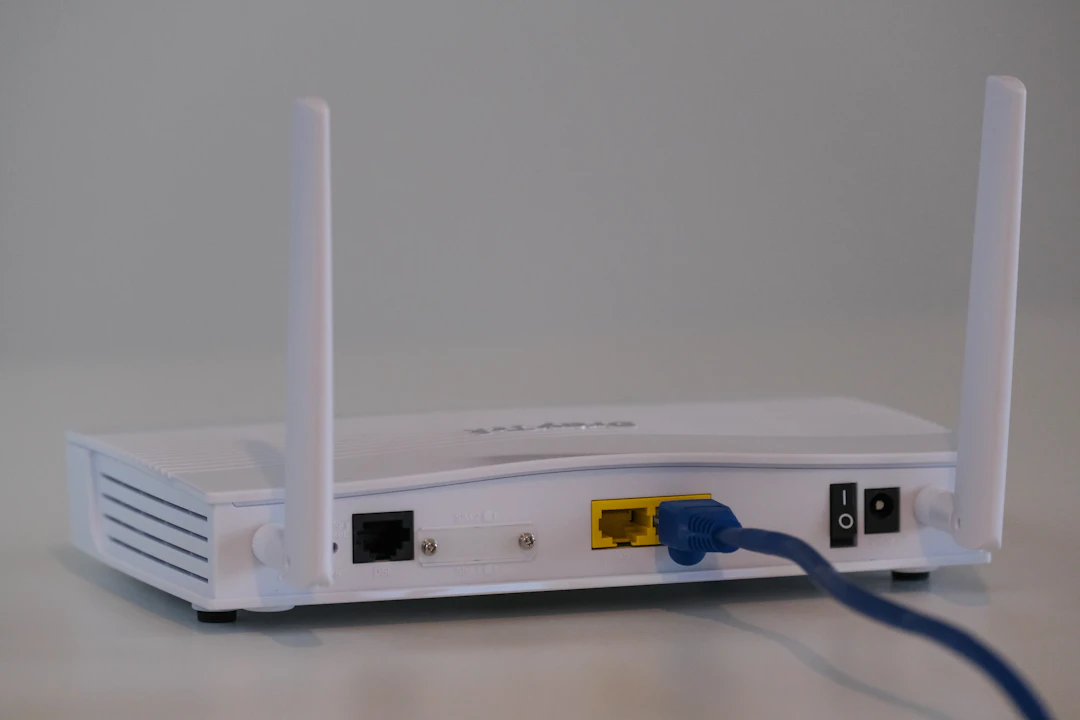
Use Ethernet: Connecting your streaming device directly to the router with an Ethernet cable can result in a faster and more stable connection.
Limit Bandwidth-Hogging Applications
During important matches like the T20 World Cup 2026, consider limiting the activity of bandwidth-heavy applications. Applications such as video game downloads, file-sharing services, and video conferencing can eat up your bandwidth and lead to buffering. Here’s what you can do:
Pause any ongoing downloads or updates.
Limit the use of multiple devices simultaneously on the same network.
Consider upgrading your router to a dual-band or tri-band model, which can better handle multiple high-demand connections.
Adjust Streaming Quality
Most streaming services, including Willow TV on KaroStream, offer options to adjust the quality of the video you're watching. If you're experiencing buffering issues, try lowering the quality settings. While it may not enhance your viewing experience like HD, it will reduce the strain on your internet connection. Here’s a breakdown:
Low Quality: 144p-240p will work even on slower connections with minimal buffering.
Medium Quality: 480p offers a balance between clarity and performance.
High Quality: 720p is ideal for strong connections; otherwise, it may lead to frequent pauses.
Ultra HD: Requires a robust internet connection (25 Mbps+) and is not advisable if you experience buffering.
Clear Device Cache
Over time, cached data can build up and slow your device down, leading to buffering problems. Clearing your device’s cache can free up resources and significantly improve performance. Here are the basic steps:
For smartphones: Go to Settings > Storage > Cached Data and clear.
For browsers: Access Settings > Privacy > Clear Browsing Data and select cache files.
For Smart TVs: Navigate to settings and find the cache clearing option, usually under Storage.
Disable Background Apps
Background applications can consume bandwidth and processing power, contributing to buffering issues. Here’s how to disable them:
On Windows: Open Task Manager (Ctrl + Shift + Esc), review the list of running applications, and end tasks that aren't needed.
On macOS: Use Activity Monitor (found in Applications > Utilities) to observe and close unnecessary applications.
On mobile devices: Manually close any apps running in the background.
Regularly Restart Your Devices
Sometimes a simple restart can resolve various connectivity issues. If you're facing buffering while watching live cricket on platforms like Willow TV on KaroStream, try restarting your:
Streaming Device: A quick restart can resolve minor glitches.
Router: Power cycle for about 10 seconds to refresh the connection.
Computers and Smart TVs: Regular restarts can help improve performance.
Try a Different Streaming Device
Sometimes the issue lies with the device itself. If you are consistently experiencing buffering issues, consider switching to another device, whether that's another smartphone, tablet, or even a smart TV. Different platforms might have optimized their services better, leading to a smoother experience.
Consider Wired Connections for Streaming
If you're serious about uninterrupted streaming, particularly for major events like the IPL 2026, consider using wired connections. This ensures a more stable and reliable internet connection. Here’s what you should know:
Routing the Ethernet Cable: While it may require more effort, a direct connection typically enhances streaming quality.
Suitable Equipment: Ensure you have a high-quality Ethernet cable to avoid degradation of the signal.
Turn Off VPNs
If you're utilizing a VPN (Virtual Private Network), this could be a source of your buffering issues as well. While VPNs offer increased privacy, they can also slow down your internet speeds drastically, particularly during events where you want to access platforms like Willow TV on KaroStream. To troubleshoot this:
Try disabling your VPN and see if the buffering issues persist.
If your primary reason for using a VPN is access to regional content, consider finding a service that offers better speeds.
Switch Streaming Platforms
If you've tried all of these suggestions and buffering continues to hinder your experience, consider exploring different streaming platforms. While Willow TV on KaroStream is a fantastic option, there are other services that may provide a smoother streaming experience for events such as the T20 World Cup 2026.
Research user reviews and performance benchmarks to help guide your next streaming choice.
Get the Whole Family Involved!
As we’ve discussed various solutions to mitigate buffering when streaming live cricket, getting family or friends involved can also enhance the experience. With clear knowledge of what to do, you can enjoy a better streaming event together.
Whether it’s planning a match day event or strategizing the best network use, having a buddy to troubleshoot or simply share the excitement with can make all the difference. Remember, a shared viewing experience can amplify the joy of watching the IPL 2026 or the T20 World Cup 2026.
With these techniques in your arsenal, you can wave goodbye to buffering once and for all. Enjoy seamless streaming and get ready for the thrill of live cricket without interruptions!
FAQs
What causes buffering while streaming live events like the T20 World Cup?
Buffering is mainly caused by a poor internet connection, high traffic during peak hours, hardware limitations, network congestion, and high streaming quality settings.
How can I check if my internet speed is enough for streaming?
You can use online speed test tools to determine your internet speed. For streaming, it is recommended to have at least 3-4 Mbps for SD, 5-8 Mbps for HD, and 25 Mbps or higher for 4K Ultra HD.
What should I do if my streaming is frequently buffering?
Consider upgrading your internet plan, optimizing your Wi-Fi signal, limiting bandwidth-hogging applications, and adjusting your streaming quality settings.
Is it better to use a wired connection for streaming?
Yes, using a wired connection can provide a more stable and reliable internet connection, reducing buffering issues.
How can I improve my streaming experience with others?
Get family or friends involved by planning a match day event and sharing troubleshooting knowledge. This can enhance your overall enjoyment of the streaming experience.

Comments